Industrial Automation
Robotic Simulation: The Right Way to Prevent Costly Automation Failures

By Alex A
Head of Engineering


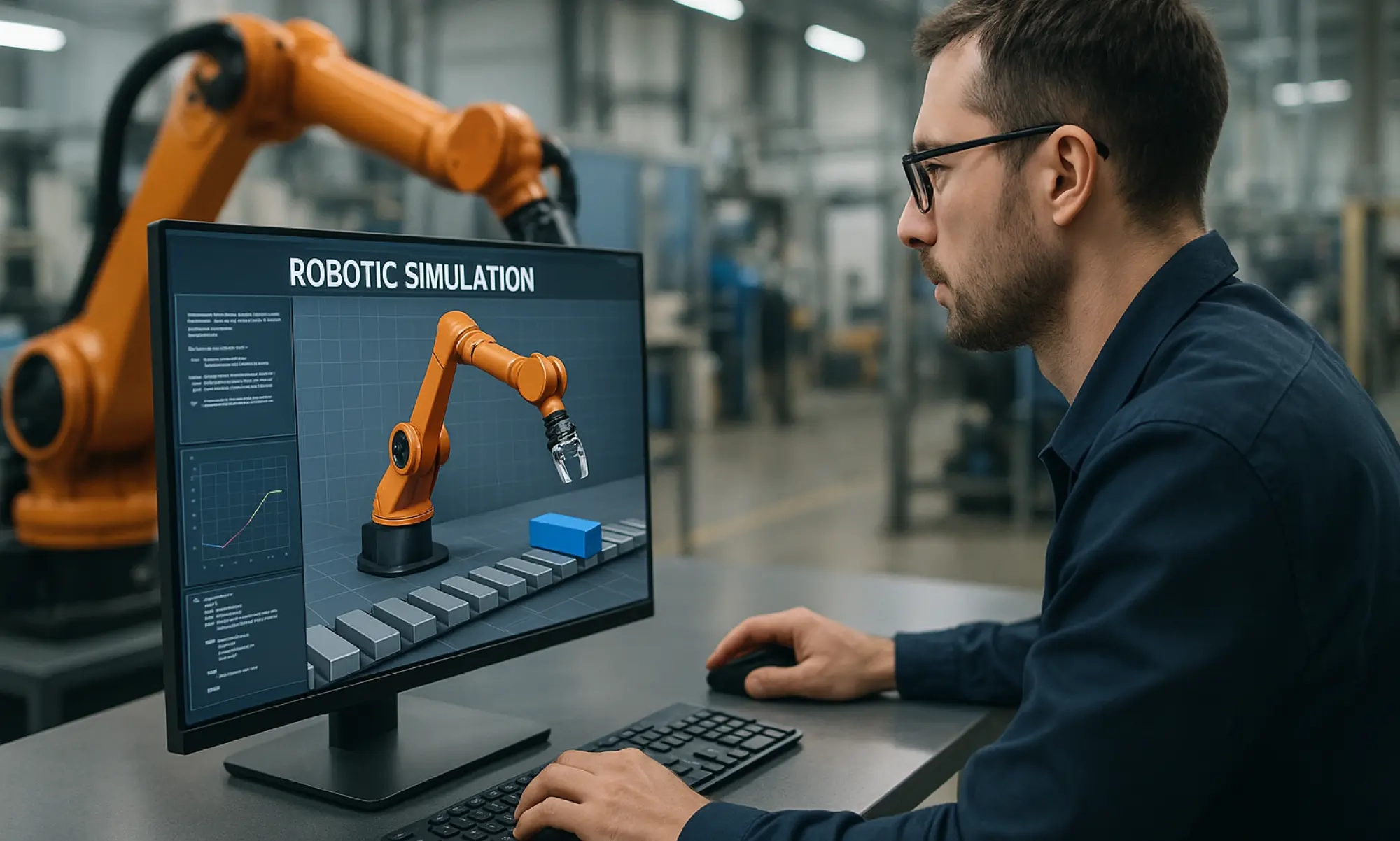
Robotic simulation allows you to test and validate robot performance in a virtual environment before setting up the physical system.
In manufacturing lines, robots move, pick, place, weld, paint, assembl or package — all in tight coordination. But how can you be sure everything will work as expected?
Building and testing a physical setup can be expensive and time-consuming. Some scenarios are also difficult or unsafe to recreate.
That's where robotic simulation comes in. It lets engineers test different configurations, evaluate robot movements and identify potential issues before implementation.
In this guide, we'll explain how robot simulation works, its applications in manufacturing, and the benefits and limitations to consider.
What is robotic simulation?
Robotic simulation is the process of modelling and evaluating a robot's tasks in a virtual representation of its working environment. It allows you to study how a robotic system performs under defined operating conditions.
For example, in an automated assembly line, multiple robots may need to work together without interfering with each other. Simulation helps you evaluate how their movements and task sequences fit together before setting up the actual system.
You can use these virtual tests to compare different approaches and make design changes early, rather than discovering problems after the equipment is installed.
What is a robot simulator?
A robot simulator is a software tool that lets you create, program and test a robot in a virtual environment.
It recreates the robot and its surroundings in 3D, allowing you to see how the robot moves and interacts with other equipment. Depending on the software, you can also test motion sequences, control logic and sensor behaviour.
Engineers use robot simulation software to:
- Check whether a robot can reach the required positions.
- Detect potential collisions with fixtures, tools, and nearby equipment.
- Plan robot movements and improve motion paths.
- Estimate cycle times and identify unnecessary movements.
- Import CAD models and check the layout of a manufacturing cell.
- Develop and test robot programs using offline programming tools.
Not every simulator offers all these features. The right choice depends on your robot, application, and engineering requirements.
Key features of a good robot simulation software
Here are the key features to look for when choosing robot simulation software.
Robot reach and inverse kinematics
A robot needs to reach specific positions and orientations to complete its tasks. Inverse kinematics calculates the joint movements needed to position the robot's tool at a target location.
This helps engineers check whether the robot can reach critical points without exceeding its joint limits. It's particularly useful for applications like robotic welding, assembly, and machine tending.
Collision detection
A robot may reach its target position but still collide with a fixture, workpiece, or nearby equipment along the way.
Collision detection helps identify these issues during simulation. Engineers can then adjust the robot's position, tooling, or motion path before the physical setup begins.
Efficient path planning
Path planning determines how a robot moves between target positions while avoiding obstacles.
By testing different motion paths, engineers can reduce unnecessary movements, improve tool access, and identify opportunities to shorten cycle times. The goal is to find a path that meets both process and clearance requirements.
CAD integration
Robot simulation software with CAD integration lets you import models of robots, fixtures, workpieces, and surrounding equipment.
This gives you a more realistic view of the manufacturing cell. You can check available space, verify clearances, and identify layout issues before installation.
Cycle-time analysis
How long will a robot take to complete its task? Simulation helps estimate cycle times by evaluating robot movements, process durations, and task sequences.
Engineers can identify unnecessary travel, waiting periods, and inefficient movements to improve the overall workflow. Actual cycle times may vary depending on controller settings and real-world process conditions.
Offline programming
Some robot simulators let you develop and test robot programs without using the physical robot. This is known as offline programming.
Engineers can refine motion sequences and check for potential issues in the virtual environment before transferring compatible programs to the robot controller. This can reduce on-site programming effort and commissioning time.
Sensor and AI simulation
Some simulators also support sensors, vision systems and AI-based robotic behaviours.
These capabilities are useful when robots need to identify objects, respond to changing conditions, or adapt their actions based on sensor inputs. However, the available features depend on the simulator and the application being tested.
What are the popular robot simulation software tools?
Several software tools help engineers simulate robots, plan manufacturing cells, and develop robot programs. Here are some commonly used options:
- RoboDK: Supports robot simulation and offline programming for compatible robot brands.
- Siemens Process Simulate: Helps simulate manufacturing processes and robotic operations.
- ABB RobotStudio: Supports simulation and offline programming for ABB robots.
- Visual Components: Allows engineers to simulate manufacturing cells, production lines, and robotic operations.
- DELMIA: Supports digital manufacturing and robotic process simulation.
- KUKA.Sim: Supports simulation and planning for KUKA robot applications.
The right software depends on your robot brand, controller compatibility, CAD requirements and the type of manufacturing process you need to simulate.
How does robot simulation work?
Robot simulation follows a series of steps, from setting up the virtual environment to reviewing the results. The exact workflow depends on the robot, the application and the software being used.
Here's how it works.
1. Set up the simulation environment
Engineers configure the virtual scene based on the task being performed. This may involve selecting the robot model, defining its base position and setting up the workpiece and operating conditions.
2. Define the robot task
Next, engineers define what the robot needs to do. This could involve welding specific points, picking and placing components, or moving parts between workstations. The task determines the required sequence of operations.
3. Configure the motion and program
The robot's movements are defined using target positions, motion instructions and task sequences. Depending on the application, engineers may use the simulator's programming tools or import a robot program for testing.
4. Run the simulation
The software executes the defined sequence in the virtual environment. Engineers can observe how the robot performs the task and review its motion, timing and interactions throughout the sequence.
5. Review and refine the results
Based on the simulation results, engineers can adjust the program, motion sequence or setup as needed and run the simulation again. This iterative process helps refine the proposed solution before physical implementation.
Simulation results depend on the accuracy of the robot model, program, and configured operating conditions. Physical testing and commissioning are still needed to verify performance in the actual environment.
What are the benefits of robotic simulation in manufacturing
Robotic simulation lets engineers confirm the design is perfect before manufacturing starts. It tests the robot’s mechanical design, performance and controls in a virtual world. This helps avoid costly mistakes and rework later.
1. Reduce development costs
Robotic simulation helps you avoid the high costs associated with physical prototypes and testing in industrial automation. By refining the robot’s design and algorithms in a virtual environment first, you save on materials, labour and most importantly, the time and the cost of trial-and-error with actual machines.
2. Test complex scenarios safely
Testing every robot movement on physical equipment isn't always practical, especially when the task involves hazardous processes or complex movements.
Simulation helps evaluate these scenarios virtually before running them on the actual robot. For example, they can review robot movements during a welding operation and identify potential interference with nearby equipment.
This helps reduce the need for unnecessary physical trials. However, real-world safety validation is still essential before the robot is put into operation.
3. Speed up robot development
Traditional robot programming and testing can involve repeated adjustments on the shop floor. Simulation allows you to evaluate programs and refine task sequences before physical deployment.
This can reduce on-site programming effort and help teams prepare robotic systems for commissioning more efficiently. The time saved depends on the complexity of the application and how well the virtual setup matches the actual system.
4. Improve robot performance
Small changes in a robot's motion sequence can affect cycle time, tool access and overall process efficiency.
With simualtion, you can compare different motion paths and task sequences to identify unnecessary movements and improve how the robot performs its assigned tasks. This is particularly useful in high-volume manufacturing, where small cycle-time improvements can add up across repeated operations.
5. Improve safety planning
Robots often operate near fixtures, conveyors, other machines and sometimes human workers. Simulation helps review workspace constraints, identify potential interference and assess selected operating scenarios before installation.
These checks support early safety planning and help teams identify issues that need further evaluation. Physical risk assessments and validation of the required safety systems are still necessary.
6. Test AI-based robot behaviours
Some robot simulation platforms support AI-based behaviours, machine vision and sensor-driven tasks. You can use these capabilities to evaluate how a robot responds to different objects, inputs or operating conditions.
For example, a simulated pick and place system may help test how a robot identifies and handles objects in different positions. The available testing and training capabilities depend on the software, the model and the application.
Simulation can help prepare AI-based robotic systems for real-world testing, but performance still needs to be validated using actual equipment and operating conditions.
What industries benefit from Robotic Simulation?
As more industries with applications in industrial automation adopt robotics, the role of robotic simulation is growing. It's now a key tool for improving efficiency, enhancing safety, and adapting to evolving challenges. Here are the top industries that benefit the most from robot simulation:
- Automotive manufacturing: Simulation helps optimize assembly, welding and painting processes for precision and safety.
- Food and beverage: Simulation ensures robots handle products safely while maintaining hygiene and quality.
- Aerospace: Simulation tests robotic tasks like assembly, inspection and high-precision part handling.
- Logistics and warehousing: Simulation boosts robot efficiency in sorting, picking, and packaging.
- Healthcare: Simulation test robots for surgical accuracy and rehabilitation applications.
- Retail: Simulation improves robot performance in checkout, stocking and customer service.
- Agriculture: Simulation ensures robots adapt to environmental conditions for planting and harvesting.
- Military and defence: Simulation tests robots for logistics, surveillance, and high-risk operations.
Robotic simulation with Sedin Engineering
Issues with robot reach, collision risks, cycle times, and workcell layouts can lead to costly changes during commissioning. Identifying these issues earlier helps manufacturers avoid unnecessary rework and prepare their automation systems for implementation.
Sedin Engineering supports industrial automation projects with engineering design and simulation services. Our team can help assess robotic layouts, validate movements and identify potential integration issues before physical implementation.
Planning a new automation project or optimizing an existing one? Explore our Plant Simulation Services to see how virtual validation can help you identify potential issues early and make better engineering decisions.
Related Blogs


Industrial Automation: The Ultimate Guide to Smart Manufacturing
Discover industrial automation and how its technologies can enhance productivity and efficiency for your business.


Introduction to PLC Automation: What It Is and How It Works
Learn the basics of programmable logic controllers (PLCs), including how they work and programmed, their history, types, and key advantages.


What is SCADA? A Practical Guide to Its Uses, Benefits and Programming
SCADA (Supervisory Control and Data Acquisition) is a control system used to monitor and manage industrial processes in real time. Learn how it improves efficiency and reduces downtime.